
1

Download Link To provide downloaded file information to users. Zip file_name.zip 200k…
0
Replies

Download Link To provide downloaded file information to users. Zip file_name.zip 200k…

Scroll Images Show all Images Show All
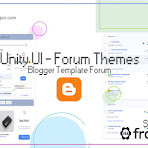
SimForum UI will give you information about Updates from this thread. So you can …

Please click follow to follow this thread

Harga Rp.250,000 Specifications, Design, Performance, Battery Series SimForum UI B…

[INFORMATION] NEW RELEASE Sekarang telah hadir " New Resource Style " Deng…
All New Typography and Writing Formats in the lastest SimForum UI v1.2 In post edi…
Download Link To provide downloaded file information to users. Zip file_name.zip 200k…
Harga Rp.250,000 Specifications, Design, Performance, Battery Series SimForum UI B…
Scroll Images Show all Images Show All
SimForum UI will give you information about Updates from this thread. So you can …
You just input label " New "
this label use "Resource,Selling" and using Link first column: https://…
[INFORMATION] NEW RELEASE Sekarang telah hadir " New Resource Style " Deng…
All New Typography and Writing Formats in the lastest SimForum UI v1.2 In post edi…
SimForum UI will give you information about Updates from this thread. So you can …



 Download Functional
0
Download Functional
0

To provide downloaded file information to users.
<div class='dlBox'>
  <!--[ Change data-text='...' atribute to add new file type ]-->
  <span class='fT' data-text='zip'></span>
  <div class='fN'>
    <!--[ File name ]-->
    <span>file_name.zip</span>
    <span class='fS'>200kb</span>
  </div>

  <!--[ Download link (change href='...' atribute to add link download) ]-->
  <a class='button' aria-label='Download' href='url_is_here' rel='noreferrer' target='_blank'><i class='icon dl'></i></a>
</div>
With background image instead of text:
<div class='dlBox'>
  <!--[ Change data-text='...' atribute to add new file type ]-->
  <span class='fT lazy' data-text='zip' data-style='background-image: url(//3.bp.blogspot.com/.../title.png)'></span>
  <div class='fN'>
    <!--[ File name ]-->
    <span>about_me.png</span>
    <span class='fS'>10kb</span>
  </div>

  <!--[ Download link (change href='...' atribute to add link download) ]-->
  <a class='button' aria-label='Download' href='url_is_here' rel='noreferrer' target='_blank'><i class='icon dl'></i></a>
</div>
This feature will show a countdown before the user downloads any file.
This feature requires direct download link of cloud files. You can use Google Drive to get direct download link of a file.
With Image:
Without Image:
Writing format:
<div class='dldCo' id='download1'>
  <div class='dldBx'>
    <div class='dldTp'>
      <div class='dldIm' data-text='.png' style='background-image:url(image_url_here)'>
        <svg class='dldSv' viewBox='0 0 34 34'>
          <circle class='b' cx='17' cy='17' r='15.92' />
          <circle class='c dldPg' cx='17' cy='17' r='15.92' />
        </svg>
      </div>
      <div class='dldIn'>
        <span data-text='Name'>Music_Wallpaper.png</span>
        <span data-text='Category'>Music</span>
        <span data-text='Size'>3.05MB</span>
        <span data-text='Resolution'>1920×1080</span>
        <span data-text='Extension'>.png</span>
      </div>
    </div>
    <button onclick='download("#", "10", "false", "#download1")' class='dldBt dldDl'><svg class='line' viewBox='0 0 24 24'><polyline points='8 17 12 21 16 17'/><line x1='12' x2='12' y1='12' y2='21'/><path d='M20.88 18.09A5 5 0 0 0 18 9h-1.26A8 8 0 1 0 3 16.29'/></svg></button>
    <button class='dldBt dldRt'><svg class='line' viewBox='0 0 24 24'><polyline points='23 4 23 10 17 10'/><path d='M20.49 15a9 9 0 1 1-2.12-9.36L23 10'/></svg></button>
  </div>
  <div class='dldSl'>
    <div class='dldMe'></div>
  </div>
</div>
Proses Pemesanan Mudah ( via WhatsApp ) Instan checkout, tanpa registrasi / login.
Kami menyediakan Layanan Pesan - Ambil ( Pickup ) & Pesan - Antar ( Delivery )
Bayar via Bank Transfer, E-Wallet atau PayPal? Bisa banget!


image quote pre code